
Tree Care Software Features That Connect Your Business
Explore TreeHub’s tree care software features for managing customers, proposals, crews, billing, and tree inventory in one platform. Keep your office and field teams connected—from the first inquiry to the final payment.
- CRM & Customer Management
- Visual Proposal Markups
- Tree Inventory & Mapping
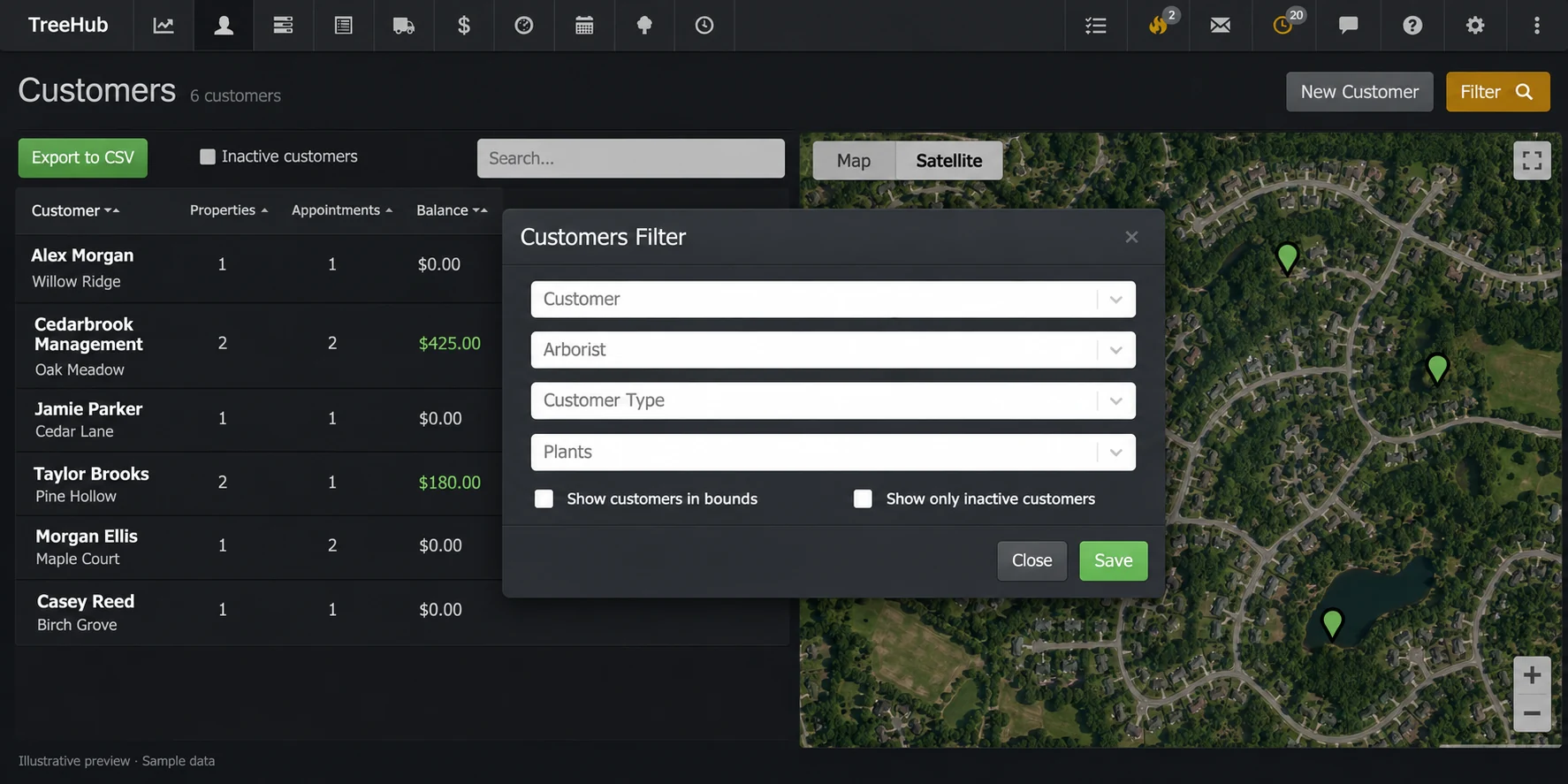
Tree Care Software Features for Your Daily Operations
TreeHub’s tree care software features connect customer management, proposals, crew scheduling, and invoicing with tree inventory and mapping. Keep customer records and field information together in a workflow built for professional arborists.
Generic CRMs & Separate Tools
A general-purpose CRM may need extra tools and configuration to support your tree care workflow.
- Customer Records Without Tree Context Property maps, individual trees, and customer records may live in separate systems.
- Photos Disconnected from Proposals Separate photo and markup tools can add steps when explaining work to customers and crews.
- Scheduling Outside the Customer Workflow Moving details between calendars, job sheets, and customer records can mean duplicate entry.
- Field Records in Separate Spreadsheets Tree measurements, PHC consumables, and equipment logs may require their own tracking tools.
- Multiple Subscriptions & Add-ons Connecting separate products can add subscription costs, setup work, and ongoing maintenance.
TreeHub’s Tree Care Software Features
One connected platform for your customers, proposals, crews, invoices, and tree inventory.
- Connected CRM, Tree Inventory & Mapping Keep customer properties, tree locations, measurements, and condition records connected.
- Visual Proposals with Photo Markups Show customers and crews what work is proposed with photos and visual instructions.
- Visual Scheduling & Crew Coordination Organize appointments and work orders, and send calendar events to your connected Google Calendar.
- PHC Consumables & Fleet Logs Manage PHC consumables and equipment records, including QR-code technician logs.
- Simple Monthly Pricing $375 per month includes your first user. Additional users are $15 each per month, with all features included and no long-term contract.
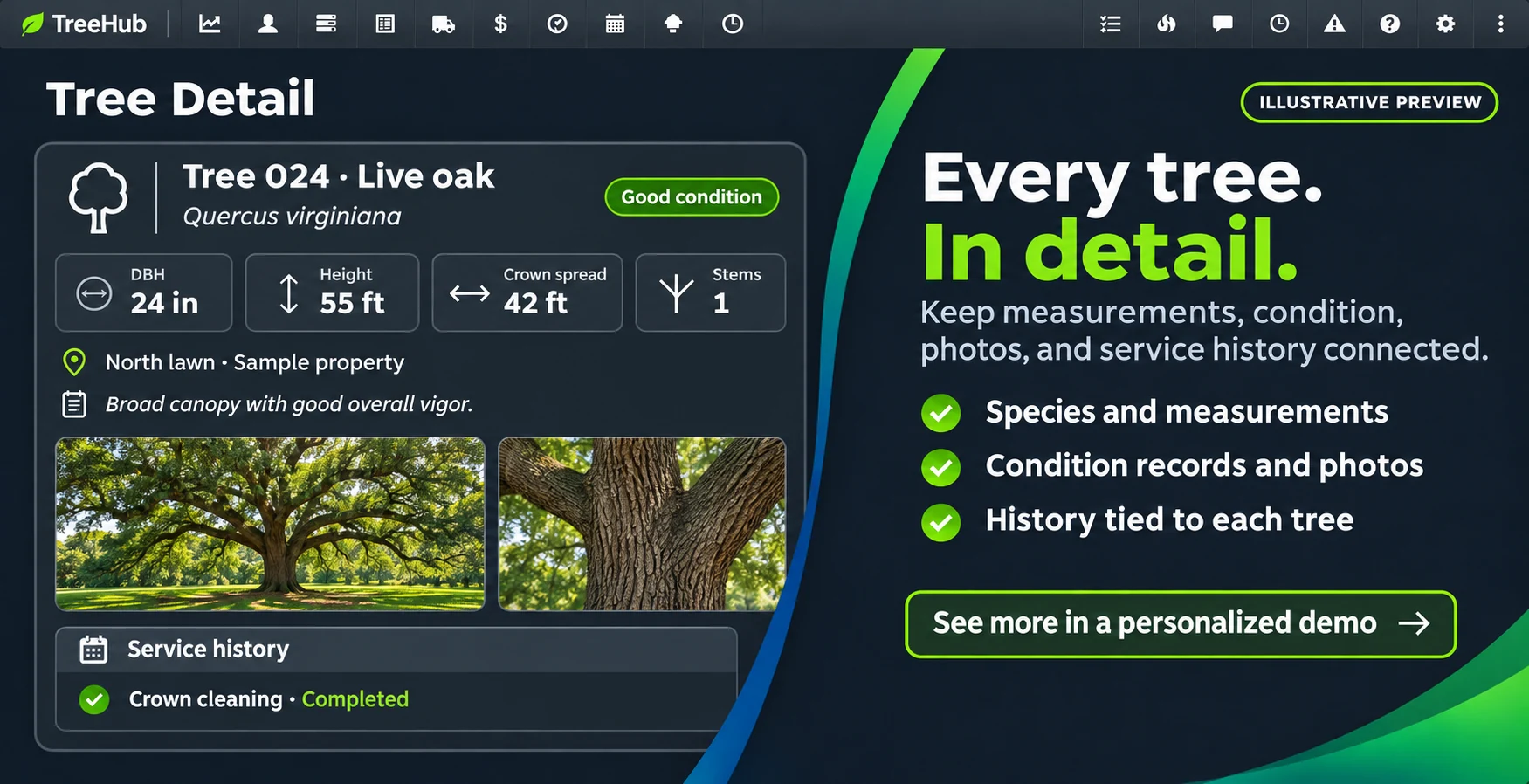
Record Tree Details Where the Work Happens
Collect the information your team needs about each tree, then keep it connected to the customer and property it belongs to.
- Useful tree records: Record species, DBH, height, stem count, condition, location, and other inspection details.
- Photos with context: Attach photos and notes so your office, sales arborists, and crews can understand the work.
- AI-assisted voice capture: Use TreeHub’s voice feature to help turn spoken observations into tree inventory records.
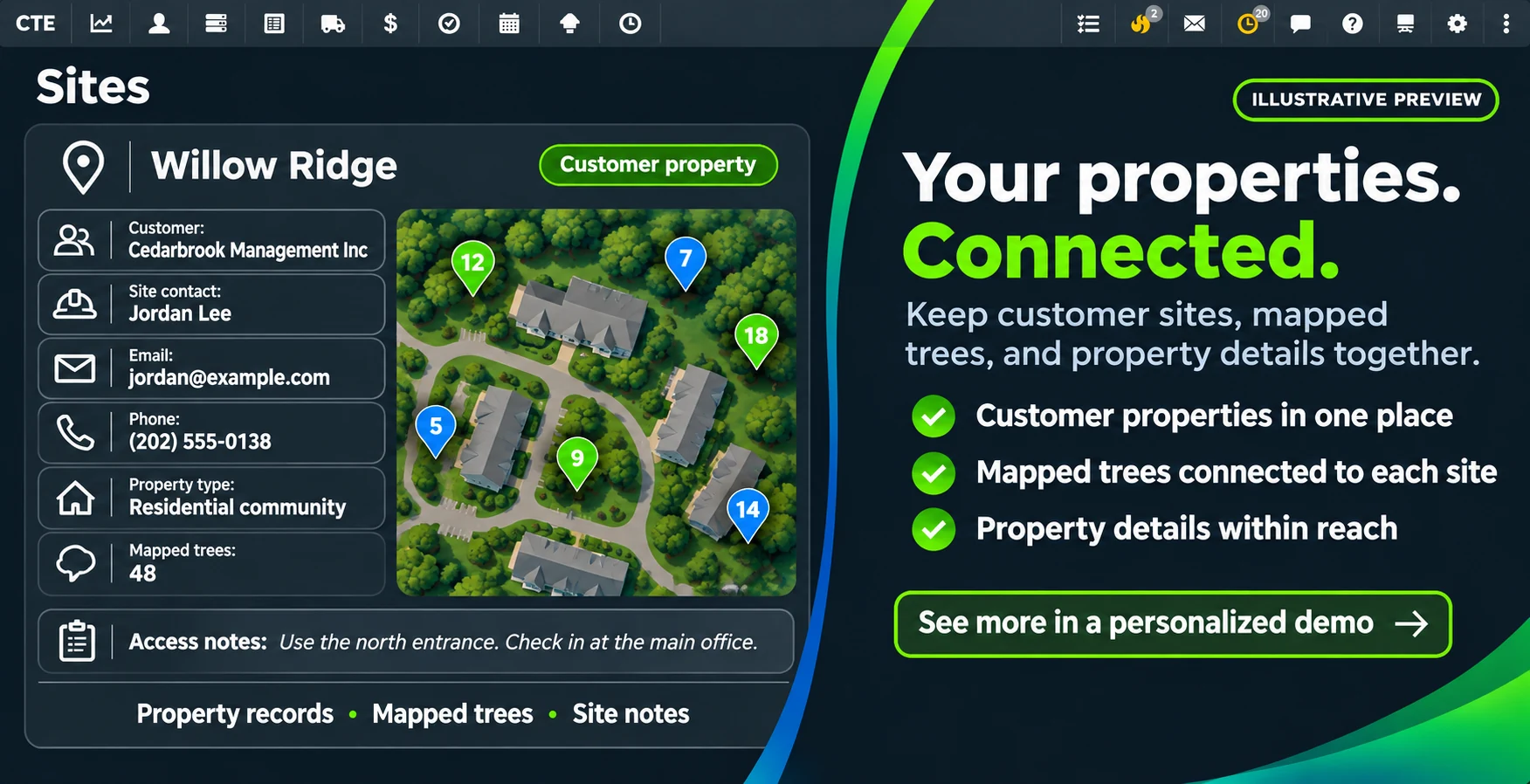
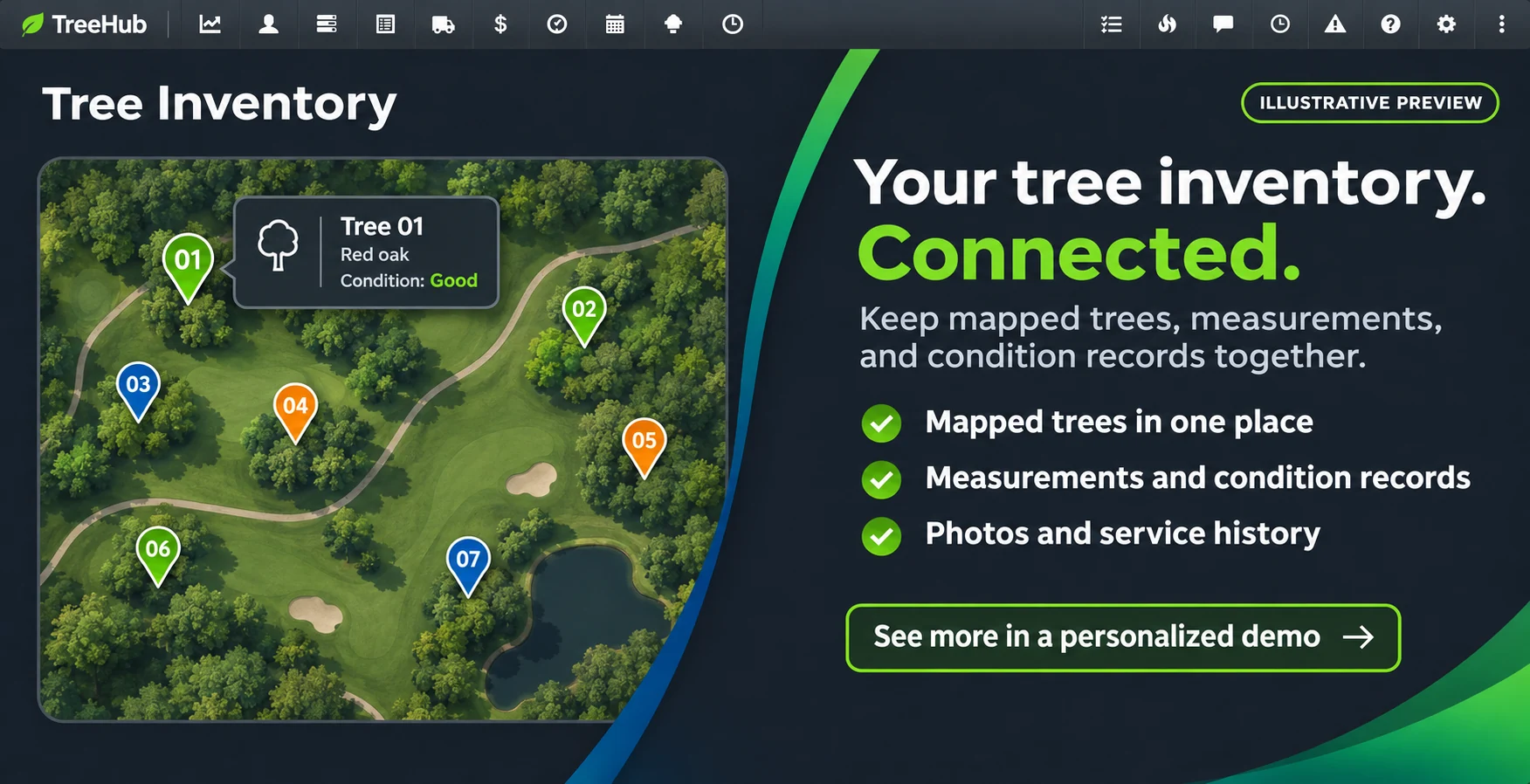
Map Every Tree. Understand Every Property.
Give your team a shared view of the property. Mapped tree records help connect what you see in the field with the work you propose and perform.
- Tree locations on the map: Identify individual trees on customer properties and open the information associated with them.
- Connected property information: Keep the customer, property, tree details, and work history connected.
- A clearer view for your team: Use map context alongside inventory information when planning and explaining work.
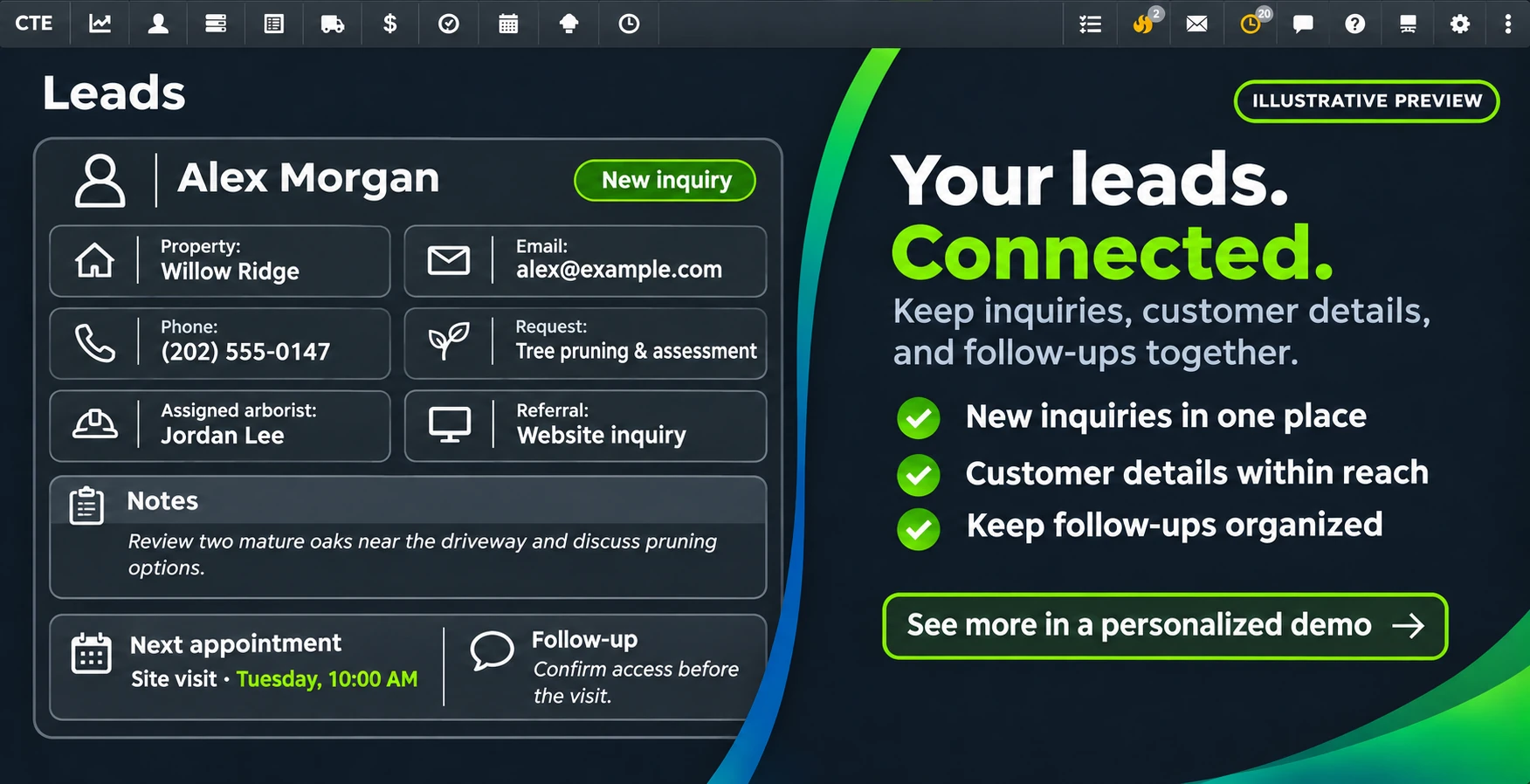
Keep Leads, Customers & Properties Connected
Organize new inquiries and existing customer relationships in the same platform your team uses to prepare proposals, schedule work, and manage invoices.
- A central place for leads: Review incoming opportunities and keep customer information available to your team.
- Multiple properties, one relationship: Manage customer accounts with more than one property and keep each site’s details organized.
- History you can build on: Review previous work and customer information when discussing the next service opportunity.
Build Visual Proposals Linked to Tree Inventory
Connect the work you recommend to the trees and properties involved. Add photos and visual instructions to help customers and crews understand the scope.
- Tree-specific scope: Use tree inventory information when preparing itemized service proposals.
- Photo markups: Illustrate proposed work directly on photos to make instructions easier to understand.
- From proposal to field work: Create multiple work orders from a proposal for separate treatment visits or phases of work.
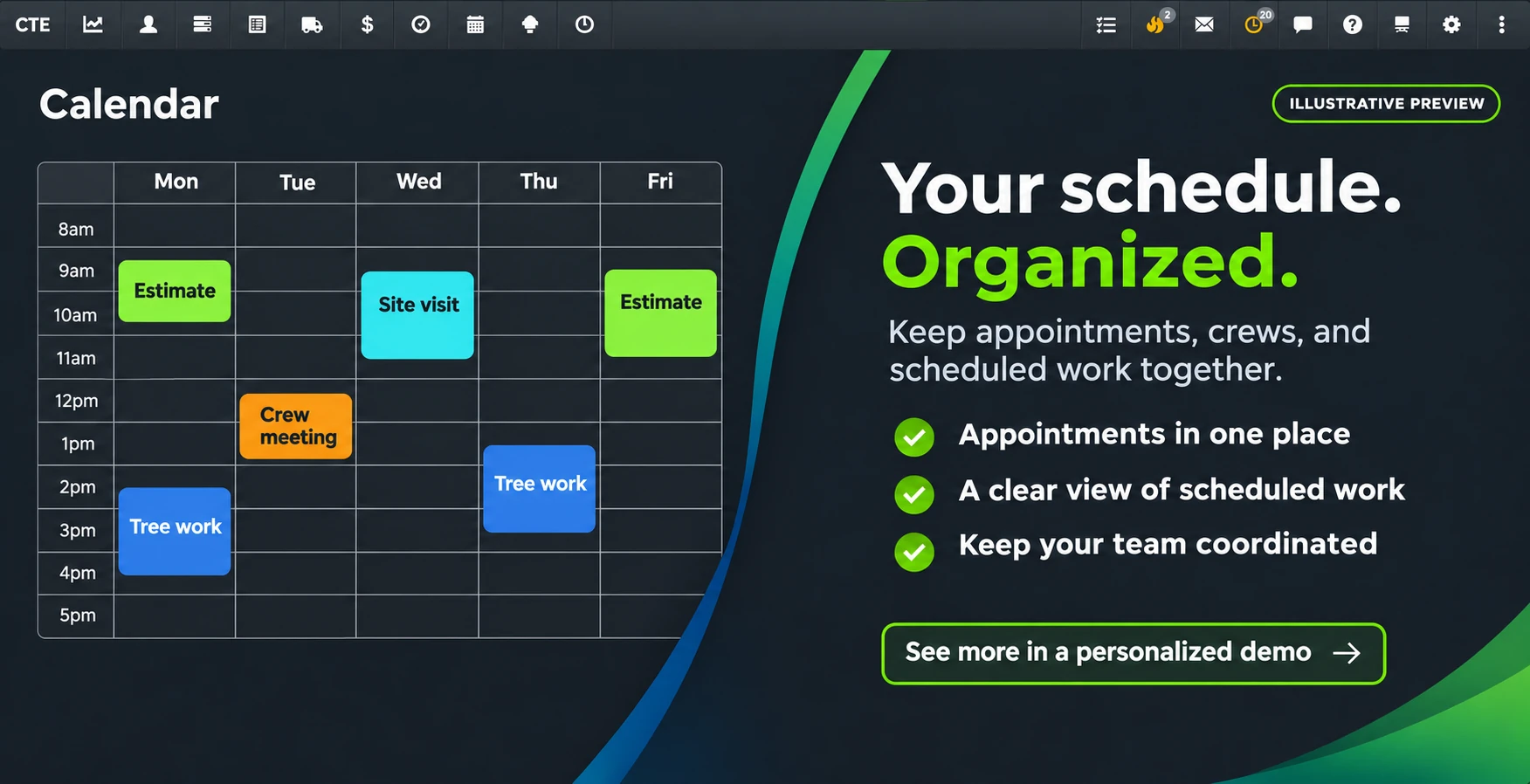
Schedule Inspections, Sales Visits & Crew Work
Keep appointments, tasks, and jobs organized in a visual calendar, with the customer and work information your team needs to prepare.
- Visual scheduling: Review appointments and planned work in the calendar and coordinate your team’s schedules.
- Smarter appointment placement: Use location-aware scheduling assistance to identify practical openings for sales visits.
- Send events to Google Calendar: Send new events, updates, and cancellations from TreeHub to your selected Google Calendar.
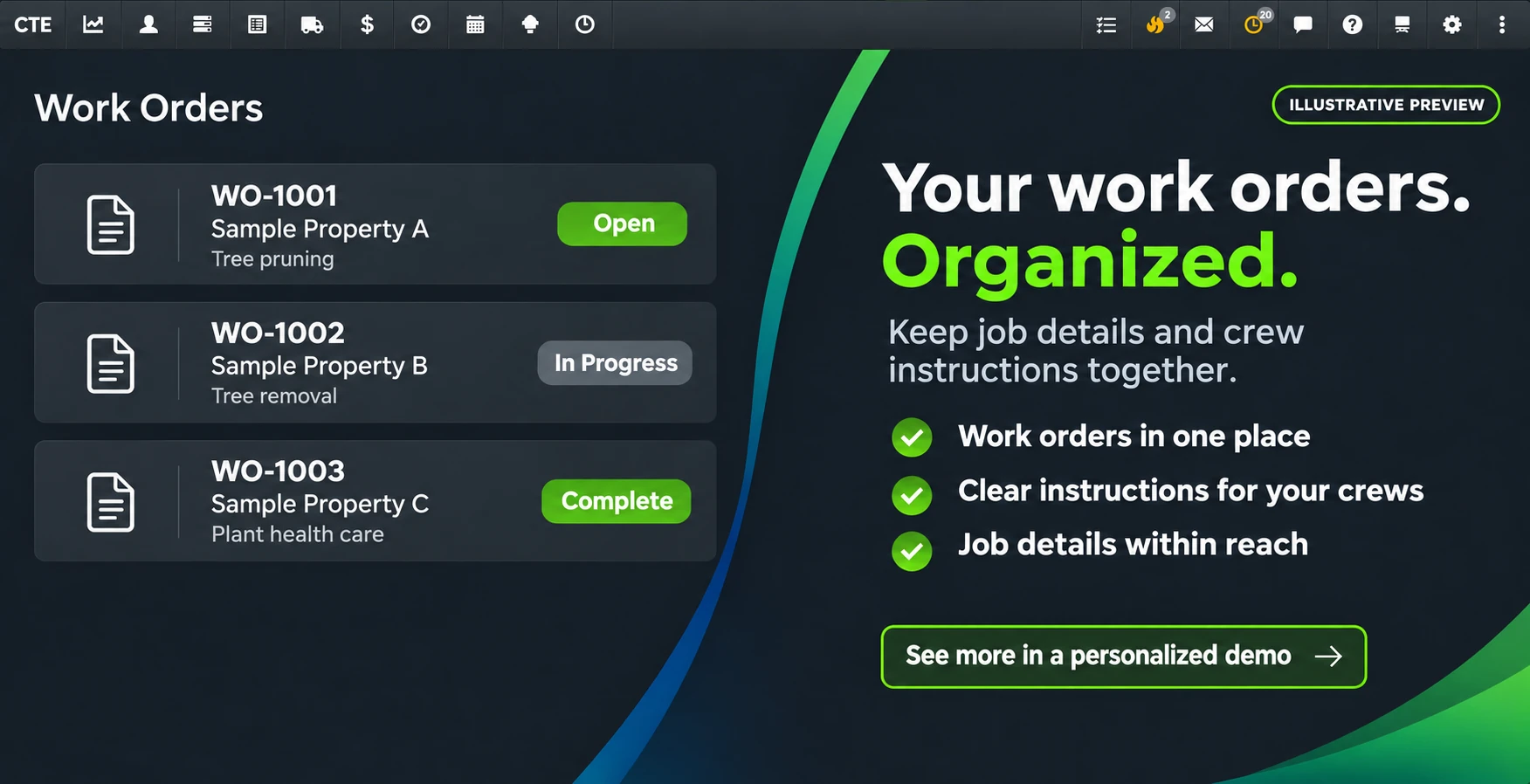
Give Crews Clear Work Orders & Photo Instructions
Carry the important details from the proposal into field execution. Help crews understand where to work, which trees are involved, and what needs to be done.
- Photos and instructions together: Keep visual directions and service details available with the work order.
- Track work progress: Review work-order status as jobs move through scheduling and completion.
- Export your work records: Download work-order data in CSV format when you need to review it outside TreeHub.
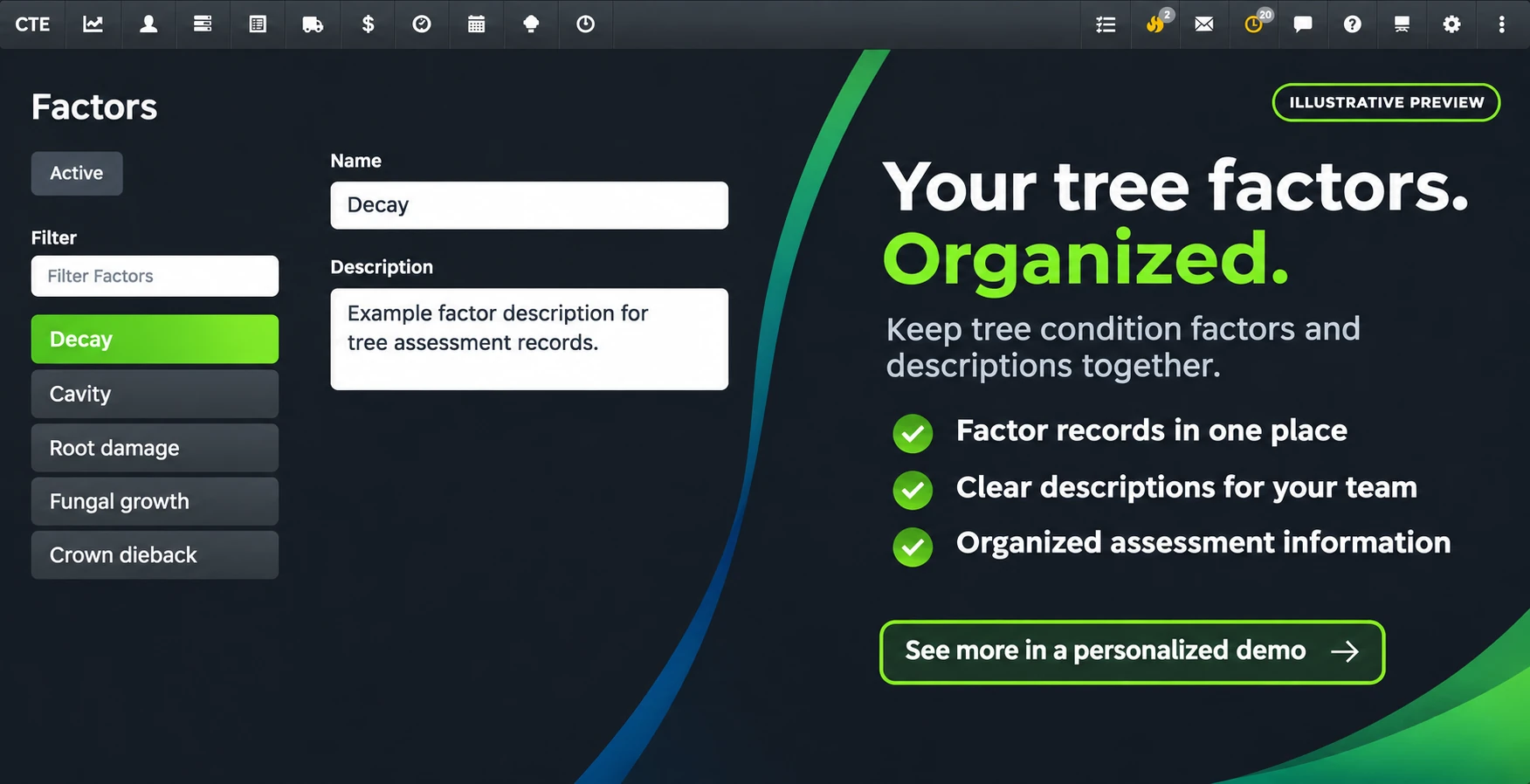
Document Tree Conditions with Structured Records
Capture observations in an organized format so tree conditions, concerns, and supporting information remain available for review and future planning.
- Condition and inspection factors: Record observations such as disease, decay, pests, and other conditions affecting the tree.
- Supporting documentation: Keep relevant findings with the tree and property records they describe.
- Information for follow-up: Use previous inspection details when reviewing recommendations and planning future work.
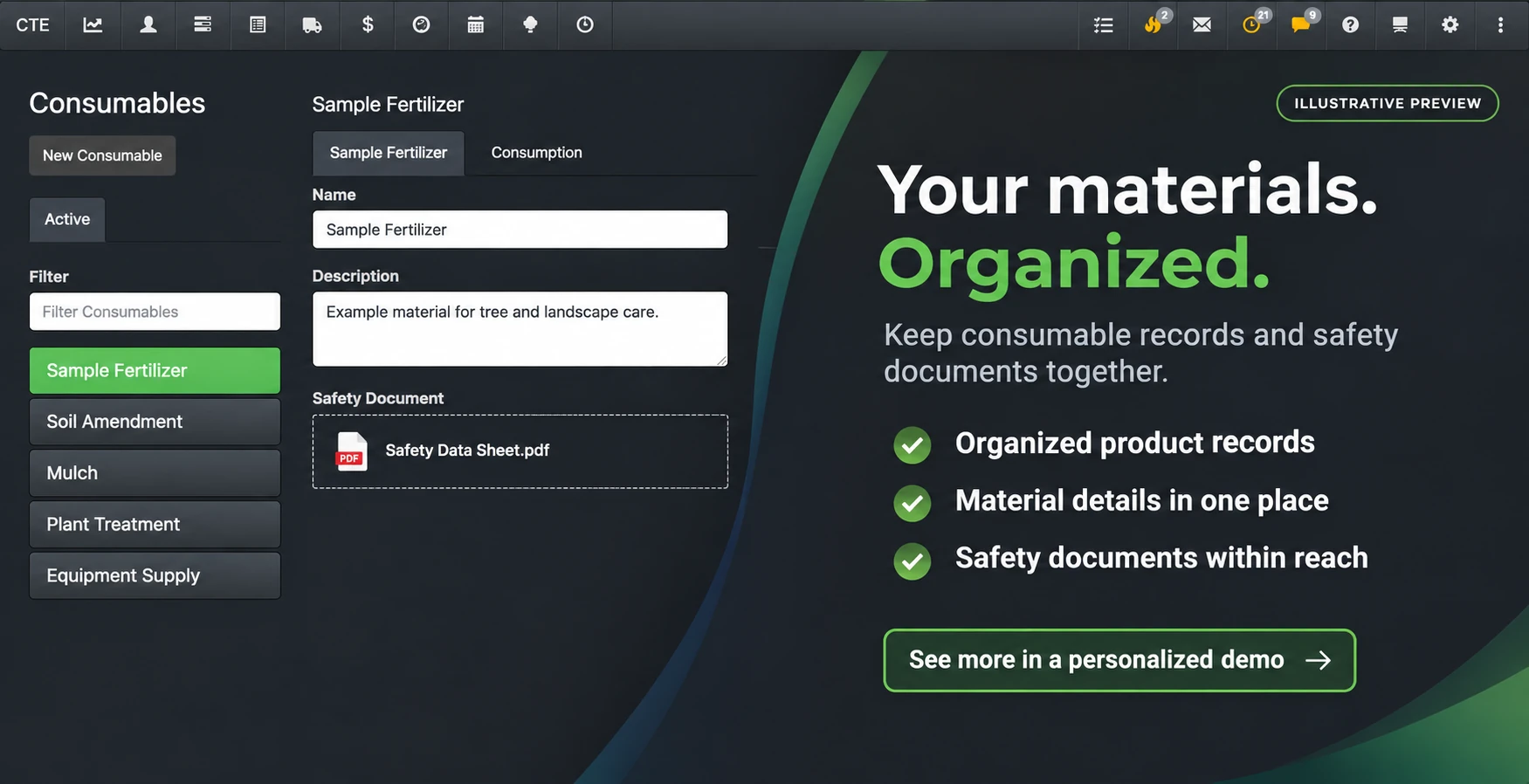
Keep PHC Consumables & Treatment Work Organized
Bring product records and treatment work into the same operational workflow your team uses to manage customers, trees, proposals, and work orders.
- Consumables records: Organize the products and materials your team uses for plant health care work.
- Programs with multiple visits: Break a proposal into multiple work orders for treatment visits scheduled at different times.
- Connected customer and tree context: Keep treatment planning connected to the properties and tree inventory involved.
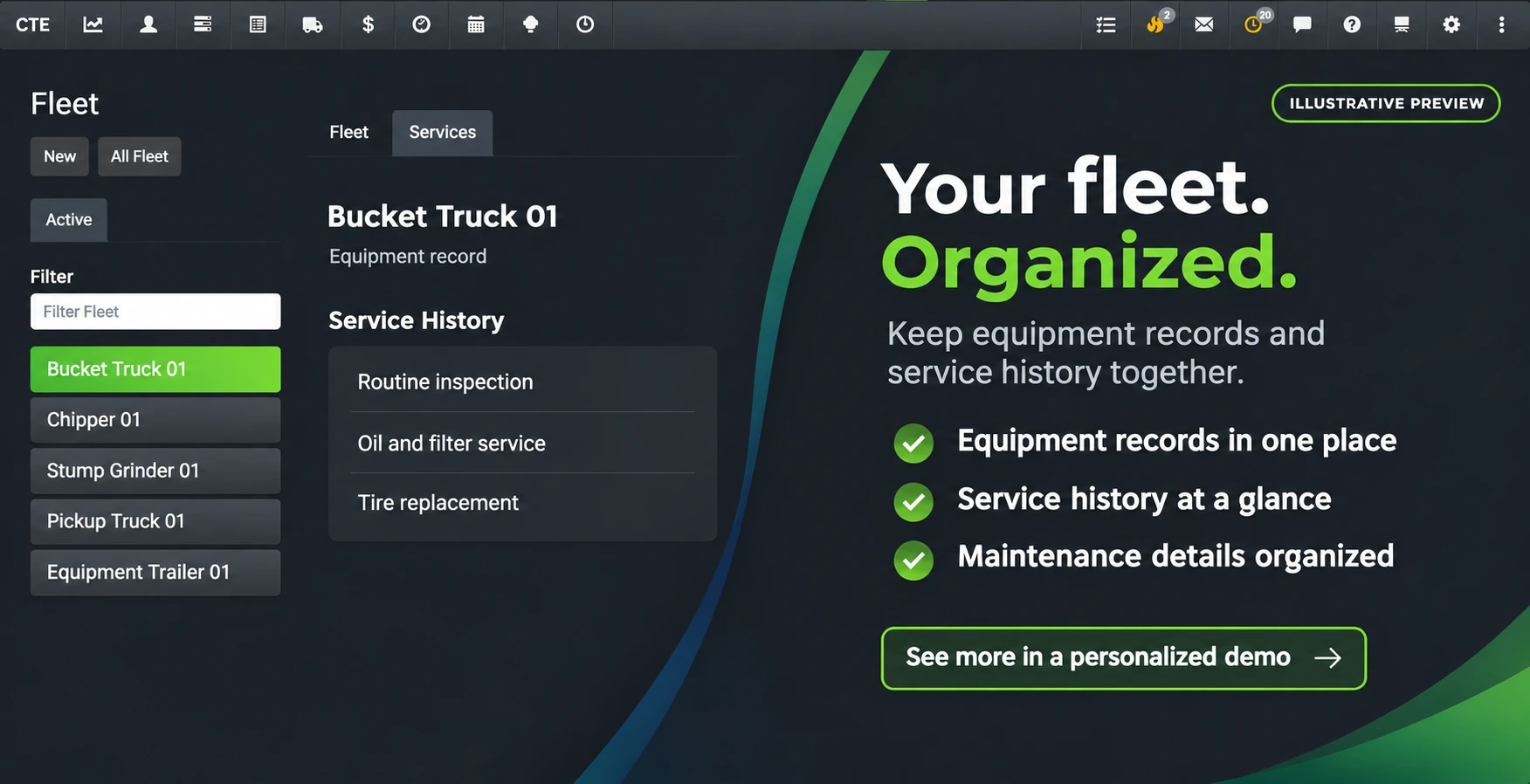
Track Fleet & Equipment Service with QR Codes
Keep equipment information and maintenance records accessible to the people who use your trucks and machines in the field.
- QR-code technician logs: Use equipment QR codes to support technician entries and service records.
- Maintenance information in one place: Organize service and repair details for your fleet and equipment.
- Access beyond the office: Review equipment records through TreeHub when your team needs that information.
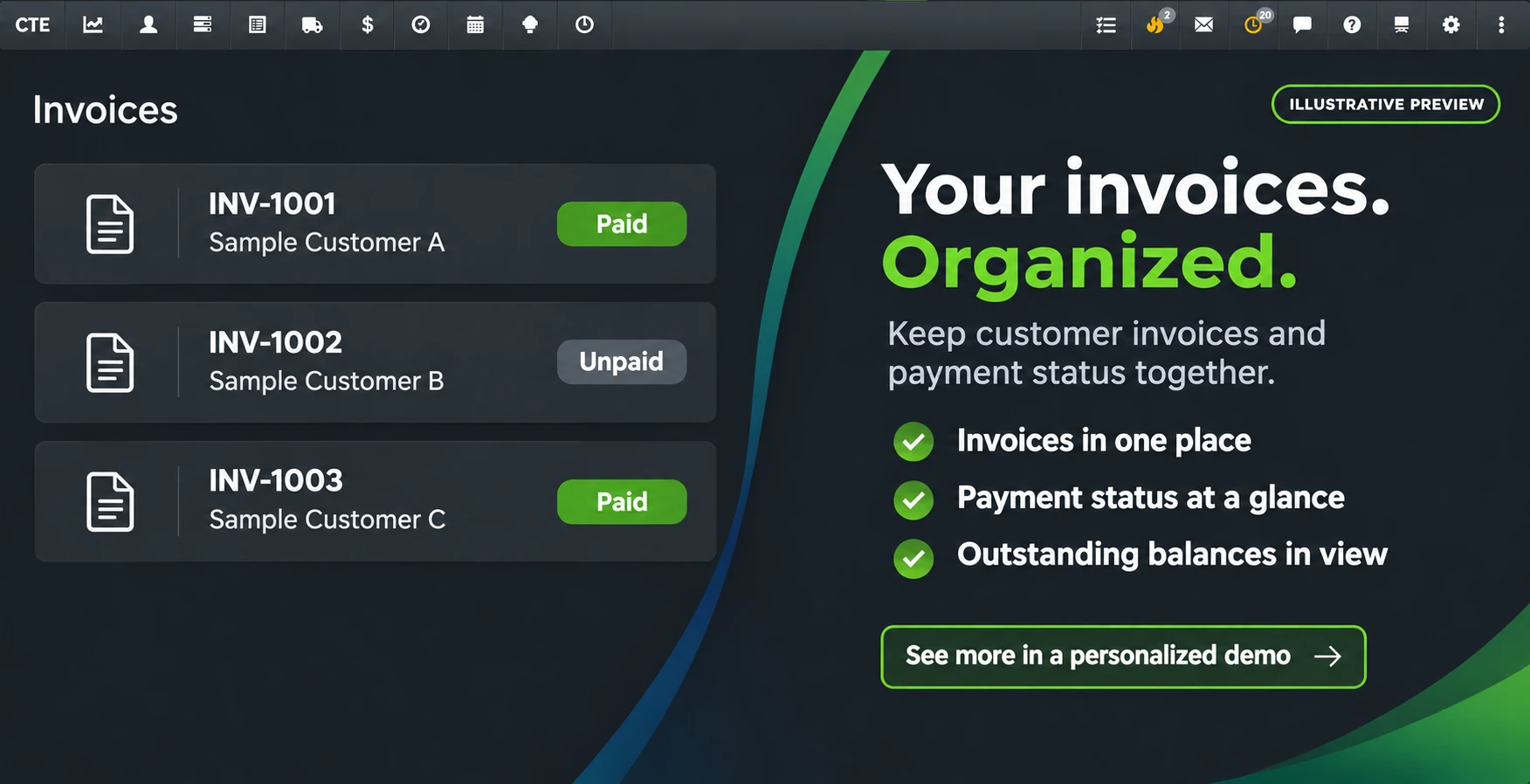
Keep Invoices, Payments & Accounting Connected
Manage invoices and payment information alongside the customer and work records that created them, with connected payment and accounting features.
- Built-in Stripe payments: Accept customer payments through Stripe, including credit cards and ACH bank payments.
- Payment visibility: Track payment references and statuses, including successful, failed, and refunded payments.
- QuickBooks integration: Exchange customer, invoice, payment, and tax information with your connected QuickBooks account.
FREQUENTLY ASKED QUESTIONS
Everything You Need to Know About TreeHub
Clear answers about TreeHub’s CRM, tree inventory, mapping, and field capabilities.
What is TreeHub Tree Care CRM Software?
TreeHub is an all-in-one cloud platform for arborists and tree care businesses. It connects Tree Care CRM—customer records, estimates, proposals, scheduling, work orders, and invoicing—with Tree Inventory, including mapped trees, measurements, condition records, and photos. As a result, your office and field teams work from the same customer, property, and tree information.
How does TreeHub connect tree inventory to proposals and work orders?
Each tree record links to the customer’s property. For example, you can use mapped trees, service recommendations, and marked-up photos to build detailed proposals. Once your customer approves the work, those details carry through to scheduling and crew work orders. Your team can then review the scope of work, tree locations, and property information before arriving.
How does TreeHub pricing work?
Your subscription costs $375 per month for the first user, plus $15 per month for each additional user. Billing is month to month with no long-term commitment. For current plan details, visit our Pricing Page.
Are there long-term contracts or cancellation fees?
TreeHub subscriptions are month to month, with no long-term commitment or cancellation fee. Account Owners can cancel through their account settings or by emailing info@treehub.me before the next renewal. Cancellation stops future renewals, and access continues through the paid subscription period. Unused days and partial months are not refunded. A $50 reinstatement fee applies if a canceled account is reestablished. See our Terms & Conditions for details.
What is included in the one-on-one demo?
Before you get started, a product specialist will guide you through a personalized walkthrough of TreeHub. During the demo, you’ll see how to manage customers, map trees, build proposals, schedule crews, and connect your invoicing and payment workflows.
Do I need to install any software on my computers?
You don’t need to install software on your computers. Instead, TreeHub runs in your web browser on a desktop, laptop, tablet, or mobile phone. An optional iOS app also provides offline maps for field use.
GET STARTED TODAY
Ready to Simplify Your Tree Care Operations?
Connect your customers, tree inventory, mapping, proposals, scheduling, work orders, and invoicing in one seamless platform.
- Simple month-to-month billing
- Personalized onboarding
- Cloud-based access